;%20}%20.cls-2%20{%20fill:%20url(%23_未命名的渐变_6);%20}%20.cls-3%20{%20fill:%20url(%23_未命名的渐变_7);%20}%20.cls-4%20{%20fill:%20url(%23_未命名的渐变_6-3);%20}%20.cls-5%20{%20fill:%20url(%23_未命名的渐变_6-2);%20}%20.cls-6%20{%20fill:%20url(%23_未命名的渐变_6-4);%20}%20.cls-7%20{%20fill:%20url(%23_未命名的渐变_7-2);%20}%20.cls-8%20{%20isolation:%20isolate;%20}%20%3c/style%3e%3clinearGradient%20id='_未命名的渐变_2'%20data-name='未命名的渐变%202'%20x1='20.6'%20y1='43.1'%20x2='20.6'%20y2='3.1'%20gradientTransform='translate(0%2044)%20scale(1%20-1)'%20gradientUnits='userSpaceOnUse'%3e%3cstop%20offset='0'%20stop-color='%2339affe'/%3e%3cstop%20offset='.8'%20stop-color='%23084aff'/%3e%3c/linearGradient%3e%3clinearGradient%20id='_未命名的渐变_6'%20data-name='未命名的渐变%206'%20x1='14.7'%20y1='18.3'%20x2='14.7'%20y2='33.5'%20gradientTransform='translate(0%2044)%20scale(1%20-1)'%20gradientUnits='userSpaceOnUse'%3e%3cstop%20offset='0'%20stop-color='%23f0f9ff'/%3e%3cstop%20offset='.8'%20stop-color='%23b2d9ff'/%3e%3c/linearGradient%3e%3clinearGradient%20id='_未命名的渐变_6-2'%20data-name='未命名的渐变%206'%20x1='14.7'%20y1='33.5'%20x2='14.7'%20y2='18.3'%20xlink:href='%23_未命名的渐变_6'/%3e%3clinearGradient%20id='_未命名的渐变_6-3'%20data-name='未命名的渐变%206'%20x1='16.1'%20y1='18.5'%20x2='16.1'%20y2='33'%20xlink:href='%23_未命名的渐变_6'/%3e%3clinearGradient%20id='_未命名的渐变_7'%20data-name='未命名的渐变%207'%20x1='14.5'%20y1='23.4'%20x2='29.1'%20y2='23.4'%20gradientTransform='translate(0%2044)%20scale(1%20-1)'%20gradientUnits='userSpaceOnUse'%3e%3cstop%20offset='.2'%20stop-color='%23f0f9ff'/%3e%3cstop%20offset='1'%20stop-color='%23b2d9ff'/%3e%3c/linearGradient%3e%3clinearGradient%20id='_未命名的渐变_6-4'%20data-name='未命名的渐变%206'%20x1='20'%20y1='32.4'%20x2='20'%20y2='15.5'%20xlink:href='%23_未命名的渐变_6'/%3e%3clinearGradient%20id='_未命名的渐变_7-2'%20data-name='未命名的渐变%207'%20x1='14.5'%20y1='23.4'%20x2='29.1'%20y2='23.4'%20xlink:href='%23_未命名的渐变_7'/%3e%3c/defs%3e%3c!--%20Generator:%20Adobe%20Illustrator%2028.6.0,%20SVG%20Export%20Plug-In%20.%20SVG%20Version:%201.2.0%20Build%20709)%20--%3e%3cg%3e%3cg%20id='_图层_1'%20data-name='图层_1'%3e%3cpath%20class='cls-1'%20d='M38.7,19.1C38.7,9,30.6.9,20.6.9S2.5,9,2.5,19.1s4.7,14.1,11.3,16.8h0c.8.4,1.3.6,1.3,1.3,0,.7-1,2.3-.1,3.2.8.9,5.6.8,10.8-1.7,5-2.4,9.4-6.8,11.5-12.6.9-2.1,1.3-4.4,1.3-6.9Z'/%3e%3cimage%20class='cls-8'%20width='338'%20height='371'%20transform='translate(-23.5%20-23.7)%20scale(.2)'%20xlink:href='未标题-1-1.png'/%3e%3cimage%20class='cls-8'%20width='367'%20height='392'%20transform='translate(-19.9%20-24)%20scale(.2)'%20xlink:href='未标题-1-2.png'/%3e%3cpath%20class='cls-2'%20d='M13.8,11c-.7-.3-1.3-.5-1.6-.5-1.4-.2-1.2,0-1.2.9,0,0,0,2.2,0,6.8s3.9,6.9,5.5,7.2c1.4.3,1.8.2,1.9,0,0,0,0-.1,0-.2v-7.7c0-3.7-2.6-5.7-4.6-6.5Z'/%3e%3cpath%20class='cls-5'%20d='M16.5,25.5c1.4.3,1.8.2,1.9,0-5.1-1.8-4.5-7.3-4.5-9.4v-5.1c-.7-.3-1.3-.5-1.6-.5-1.4-.2-1.2,0-1.2.9,0,0,0,2.2,0,6.8s3.9,6.9,5.5,7.2Z'/%3e%3cpath%20class='cls-4'%20d='M18.4,25.5c0,0,0-.1,0-.2v-7.7c0-3.7-2.6-5.7-4.6-6.5v5.1c0,2.1-.6,7.6,4.5,9.4Z'/%3e%3cpath%20class='cls-3'%20d='M28.6,10.5c-1.4.2-2.5.6-3.4,1.1-3.2,1.8-3.6,4.9-3.6,6.8,0,0,0,.2,0,4.7s-1.2,3.4-2.2,4.2c-1.7,1.3-3.6,1.1-4.1,1-.2,0-.4,0-.6,0-.3,0-.4.2,0,.7,1.3,1.2,4.3,2.3,7.4,1.7,5.3-1.3,6.9-5.9,6.9-8.6v-10.6c0-.7,0-1-.5-.9Z'/%3e%3cpath%20class='cls-6'%20d='M23.4,26c.8-.9,1.8-2.6,1.8-5.3v-9.1c-3.2,1.8-3.6,4.9-3.6,6.8,0,0,0,.2,0,4.7s-1.2,3.4-2.2,4.2c-1.7,1.3-3.6,1.1-4.1,1-.2,0-.4,0-.6,0,2,.4,5.5,1.2,8.6-2.2Z'/%3e%3cpath%20class='cls-7'%20d='M14.8,28.8c1.3,1.2,4.3,2.3,7.4,1.7,5.3-1.3,6.9-5.9,6.9-8.6v-10.6c0-.7,0-1-.5-.9-1.4.2-2.5.6-3.4,1.1v9.1c0,2.7-1,4.4-1.8,5.3-3.1,3.4-6.6,2.6-8.6,2.2-.3,0-.4.2,0,.7Z'/%3e%3c/g%3e%3c/g%3e%3c/svg%3e)


Ticketing System / Traffic Routing Links
Automated Lead Management So Every Business Opportunity Can Be Tracked
Provides a smart ticketing and traffic-routing solution that generates dedicated parameterized links to automatically identify customer sources and create tickets for assignment, automating lead management.
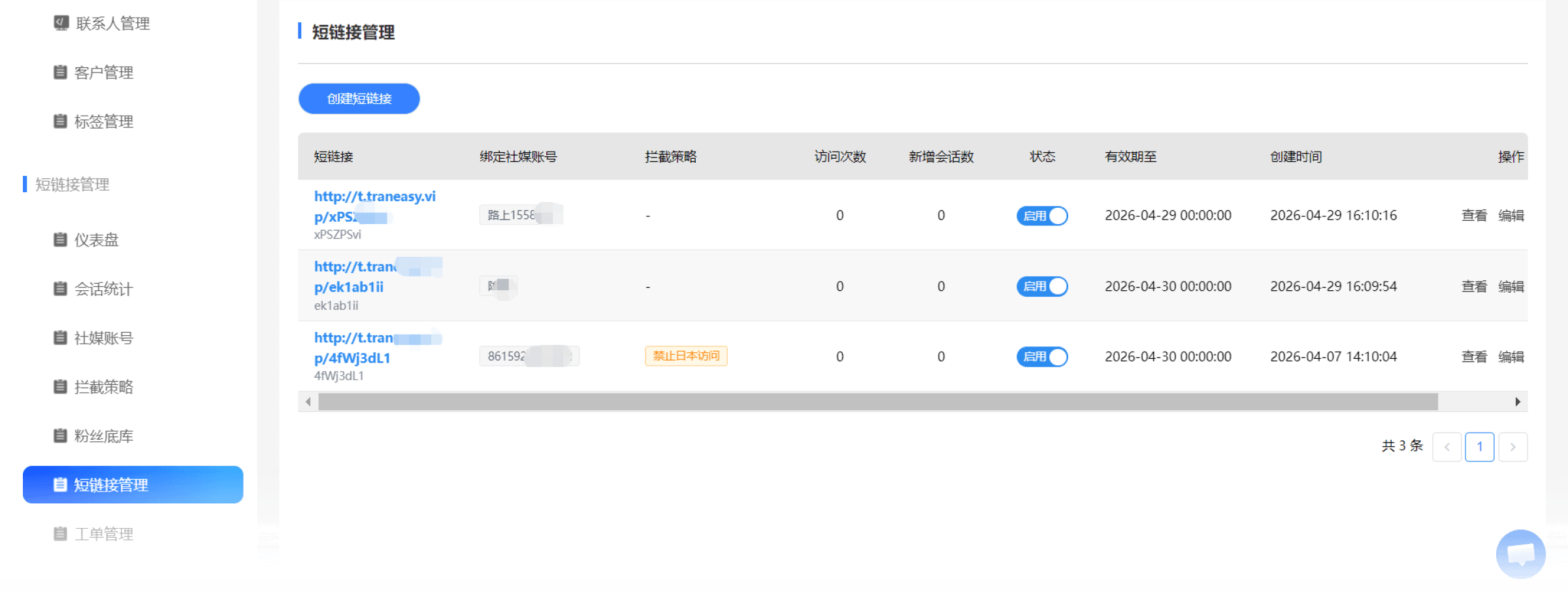
Smart Short-Link Tracking
Common Issue
Customers come from all kinds of sources, and you have no idea which ad brought them in, making it impossible to calculate ROI.
Solution
Generate a dedicated Traneasy short link for each ad group or video. When a customer clicks, the system automatically records the source information.


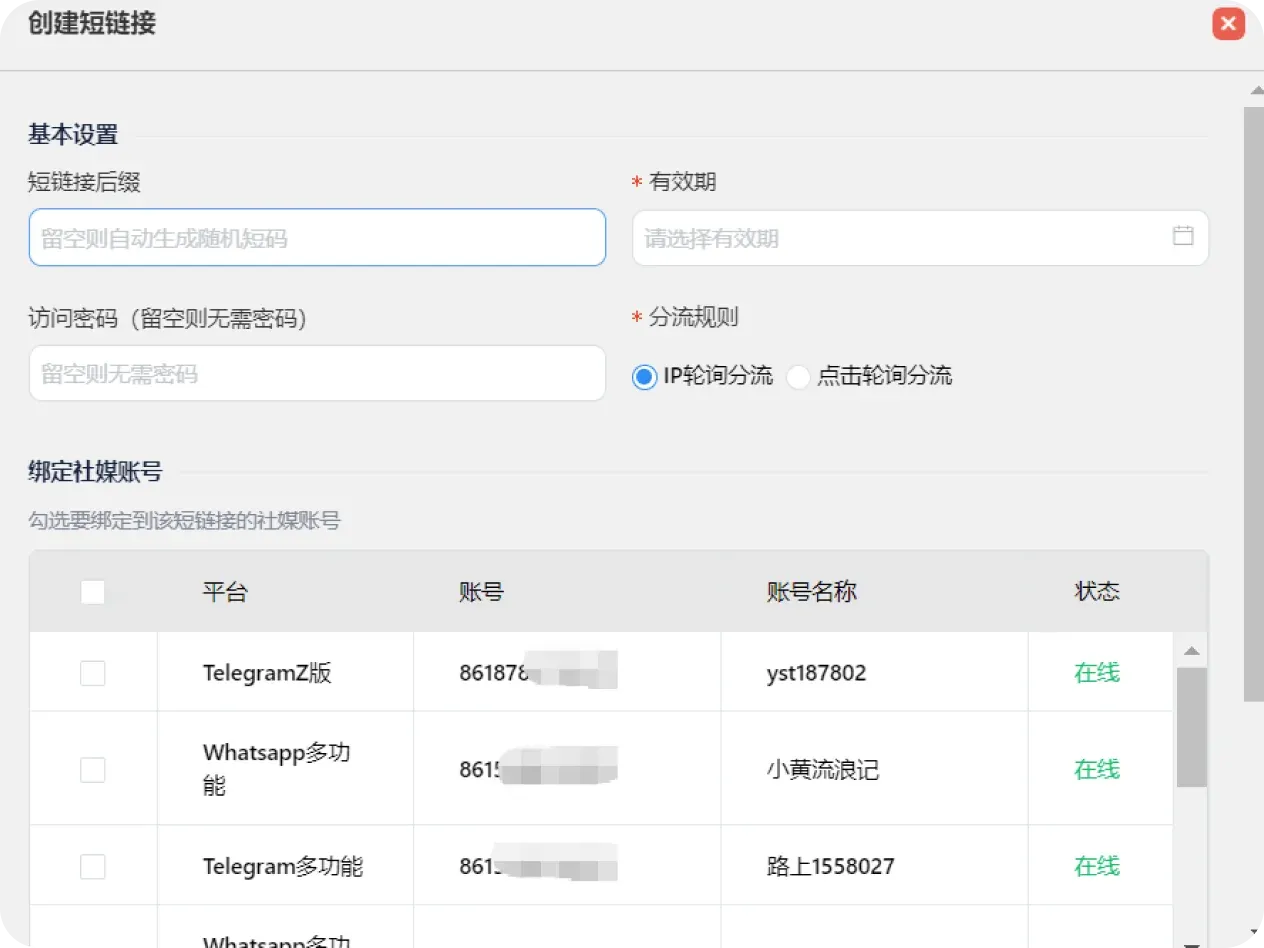
Automatic Tagging and Grouping
Common Issue
Once a customer comes in, you still have to manually ask "where did you see us?" — wasting time and annoying the customer.
Solution
The moment a customer starts a conversation, the system automatically tags them based on the link parameters (e.g., Facebook-Ad Group A), with no manual effort needed.
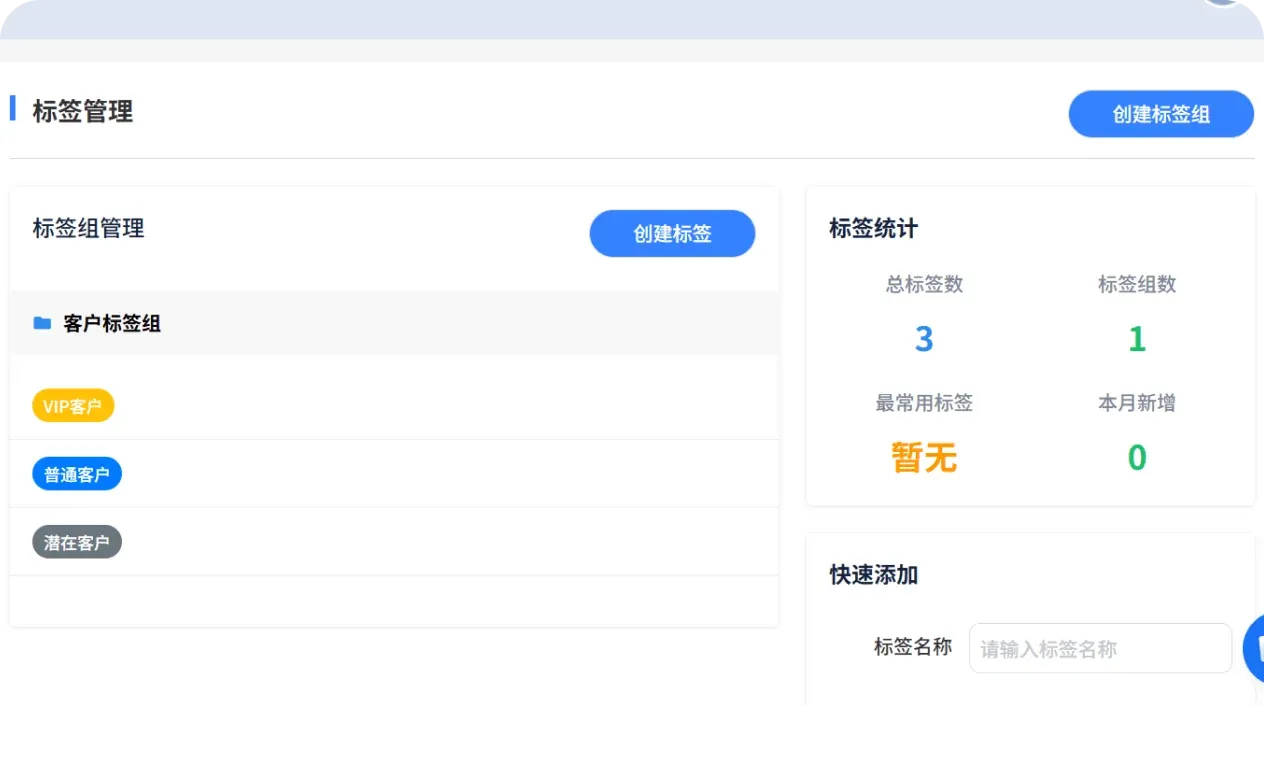
Regional IP Access Control
Common Issue
Account contacts come from different countries, and you need to file contacts from the same country under the same account.
Solution
Short links can be configured with interception rules that filter customers from different regions, so only contacts matching a region are routed into the corresponding account.
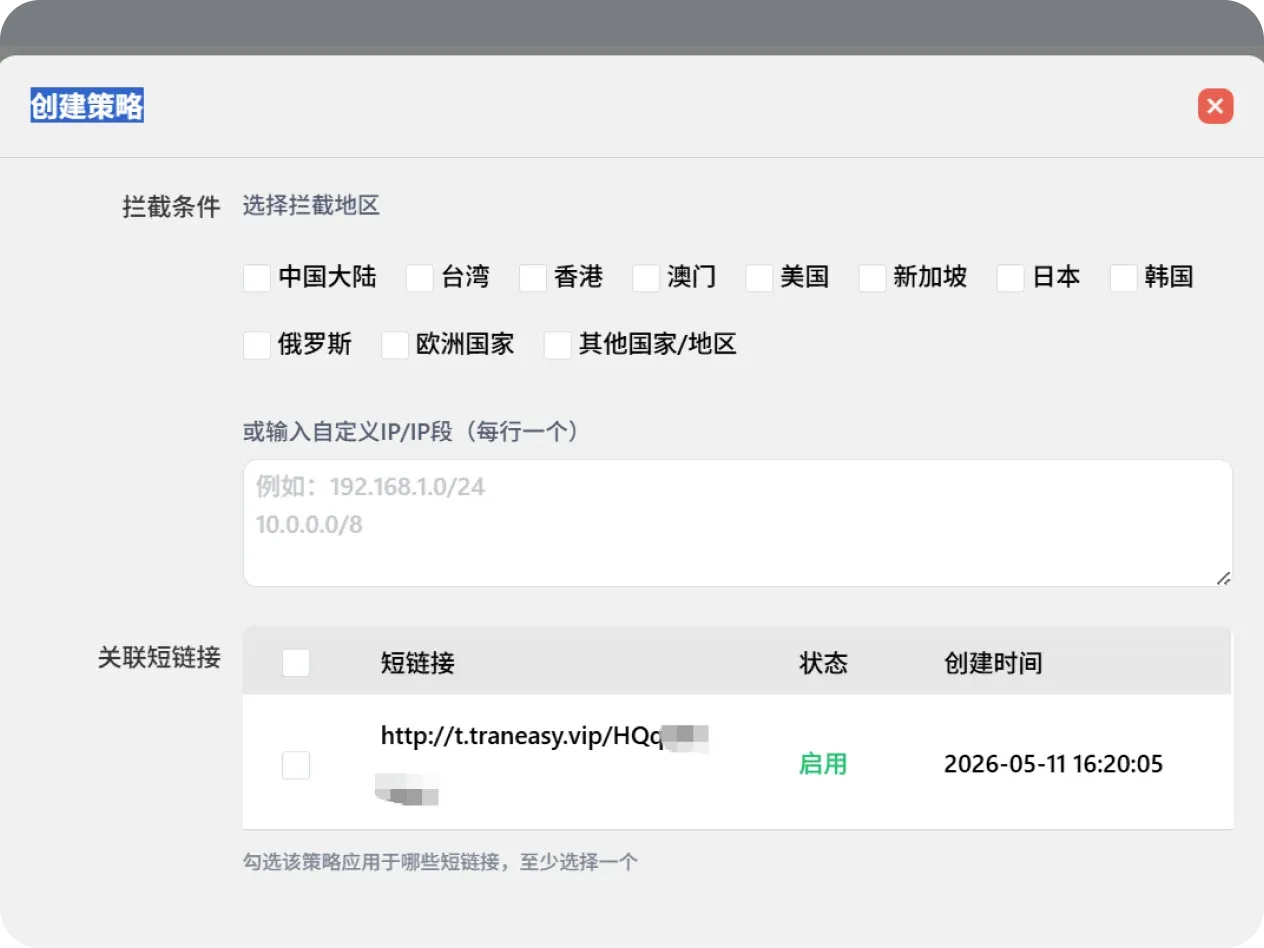
Ticket Status Management
Common Issue
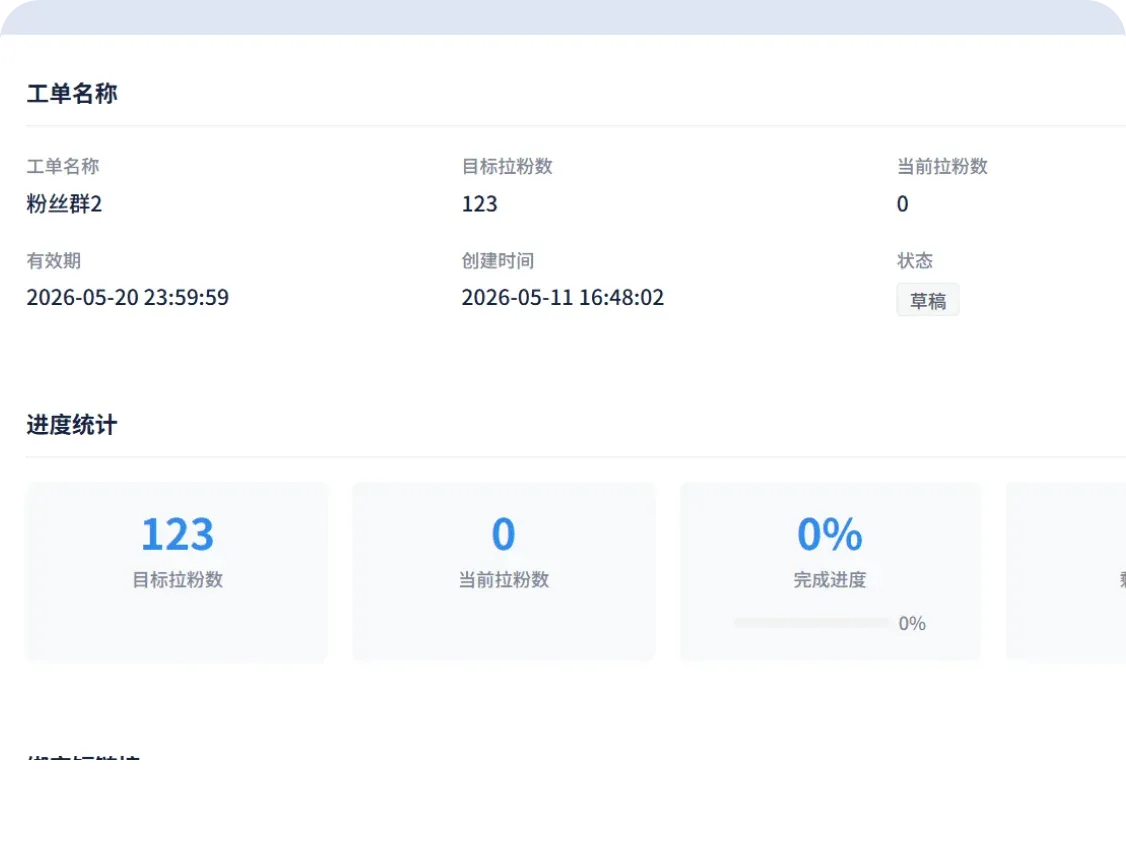
In the past, issue handling had no record, no checkpoints, and no feedback — users couldn't know the progress, and managers struggled to track task advancement, creating severe information asymmetry.
Solution
Supports self-service ticket creation, real-time display of full-dimensional ticket status, synchronized updates on handling progress, and full end-to-end visibility and control.
Conversation Data Monitoring
Common Issue
Tracking employee attendance with no substantive reference data, so employees can't receive transparent, fair rewards or penalties.
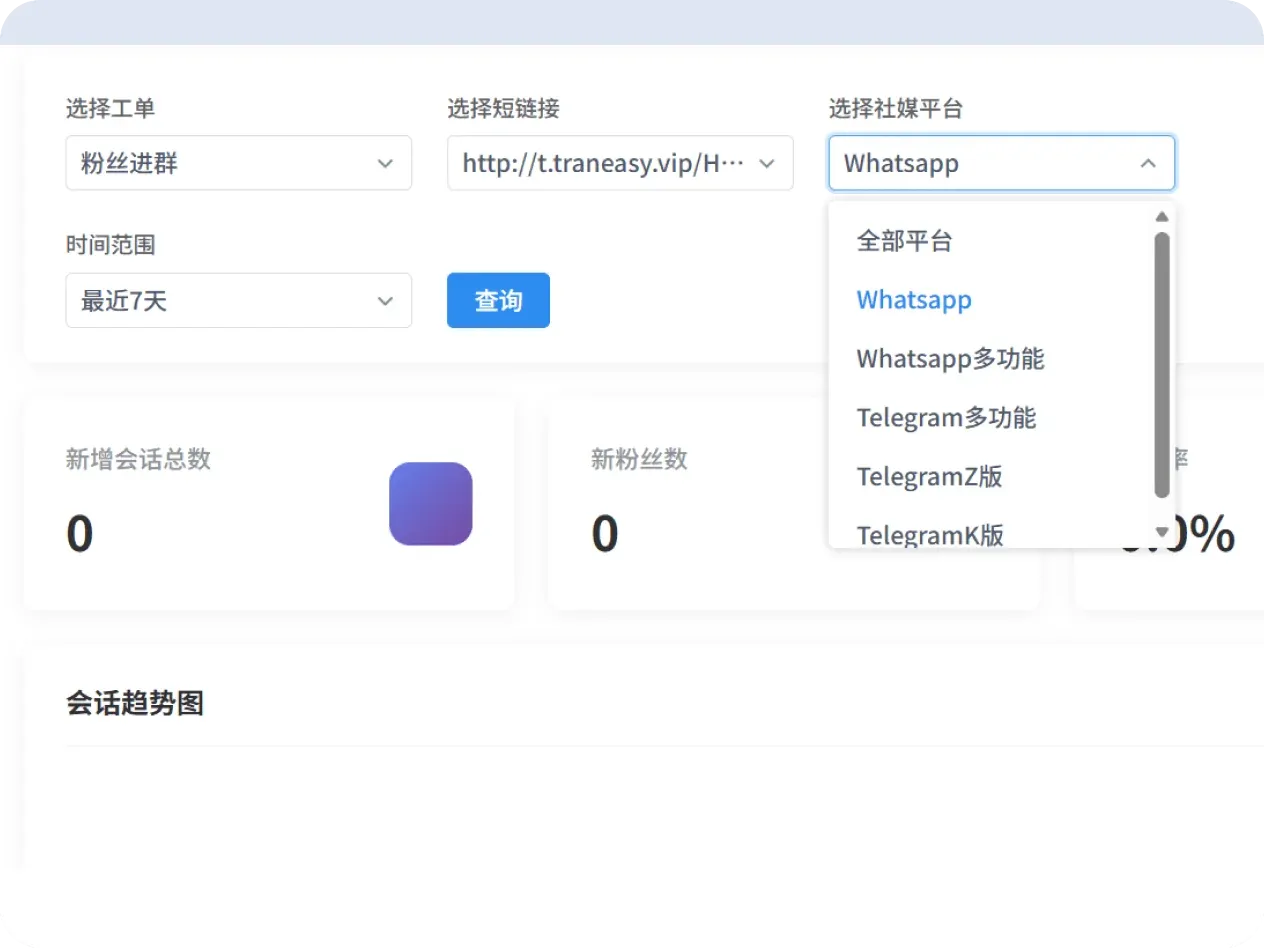
Solution
In the software backend, you can view the number of new contacts, new conversations, and conversion rates over the past 90 days by link/platform/ticket, making it easy to evaluate employee performance.
Traditional Approach vs. Ticketing System / Traffic Routing Links
Say goodbye to the confusion of customers asking "who should I talk to," and achieve automated traffic classification and assignment, delivering professional service from the very first second.

Use Cases
Closed-Loop Management of Ad Campaigns

Facebook/Google Ad Campaigns
Use Traneasy traffic-routing links when running ads. View directly in the backend how many valid inquiries each ad group generated, precisely calculating ROI.

TikTok/Instagram Traffic Generation
Pin a traffic-routing link in your video bio. When a customer clicks, they're automatically redirected to WhatsApp and tagged, letting you instantly know which video brought them in.

Preventing Internal Order Conflicts
When multiple team members collaborate, the ticketing system ensures only one salesperson follows up with each customer, avoiding the awkwardness of two salespeople reaching out to the same customer at once.
Next steps
Continue exploring features that match your workflow, or download the client to get started.
Frequently Asked Questions
Smart routing assigns leads precisely, making every customer inquiry get an efficient response!
Start Using the Ticketing System / Traffic Routing Links Now
Say goodbye to customer-assignment chaos and achieve efficient collaborative service
Download Now- Supports multi-channel customer access, automatically generating a unique ticket number
- Smart routing rules, automatically assigning by region, business type, or support workload
- Real-time ticket status tracking — handling progress and the responsible owner are clear at a glance
- Automatic linking of customer chat history, avoiding repeated communication
- Multi-agent collaborative handling, seamless handoff for complex issues, boosting service efficiency