;%20}%20.cls-2%20{%20fill:%20url(%23_未命名的渐变_6);%20}%20.cls-3%20{%20fill:%20url(%23_未命名的渐变_7);%20}%20.cls-4%20{%20fill:%20url(%23_未命名的渐变_6-3);%20}%20.cls-5%20{%20fill:%20url(%23_未命名的渐变_6-2);%20}%20.cls-6%20{%20fill:%20url(%23_未命名的渐变_6-4);%20}%20.cls-7%20{%20fill:%20url(%23_未命名的渐变_7-2);%20}%20.cls-8%20{%20isolation:%20isolate;%20}%20%3c/style%3e%3clinearGradient%20id='_未命名的渐变_2'%20data-name='未命名的渐变%202'%20x1='20.6'%20y1='43.1'%20x2='20.6'%20y2='3.1'%20gradientTransform='translate(0%2044)%20scale(1%20-1)'%20gradientUnits='userSpaceOnUse'%3e%3cstop%20offset='0'%20stop-color='%2339affe'/%3e%3cstop%20offset='.8'%20stop-color='%23084aff'/%3e%3c/linearGradient%3e%3clinearGradient%20id='_未命名的渐变_6'%20data-name='未命名的渐变%206'%20x1='14.7'%20y1='18.3'%20x2='14.7'%20y2='33.5'%20gradientTransform='translate(0%2044)%20scale(1%20-1)'%20gradientUnits='userSpaceOnUse'%3e%3cstop%20offset='0'%20stop-color='%23f0f9ff'/%3e%3cstop%20offset='.8'%20stop-color='%23b2d9ff'/%3e%3c/linearGradient%3e%3clinearGradient%20id='_未命名的渐变_6-2'%20data-name='未命名的渐变%206'%20x1='14.7'%20y1='33.5'%20x2='14.7'%20y2='18.3'%20xlink:href='%23_未命名的渐变_6'/%3e%3clinearGradient%20id='_未命名的渐变_6-3'%20data-name='未命名的渐变%206'%20x1='16.1'%20y1='18.5'%20x2='16.1'%20y2='33'%20xlink:href='%23_未命名的渐变_6'/%3e%3clinearGradient%20id='_未命名的渐变_7'%20data-name='未命名的渐变%207'%20x1='14.5'%20y1='23.4'%20x2='29.1'%20y2='23.4'%20gradientTransform='translate(0%2044)%20scale(1%20-1)'%20gradientUnits='userSpaceOnUse'%3e%3cstop%20offset='.2'%20stop-color='%23f0f9ff'/%3e%3cstop%20offset='1'%20stop-color='%23b2d9ff'/%3e%3c/linearGradient%3e%3clinearGradient%20id='_未命名的渐变_6-4'%20data-name='未命名的渐变%206'%20x1='20'%20y1='32.4'%20x2='20'%20y2='15.5'%20xlink:href='%23_未命名的渐变_6'/%3e%3clinearGradient%20id='_未命名的渐变_7-2'%20data-name='未命名的渐变%207'%20x1='14.5'%20y1='23.4'%20x2='29.1'%20y2='23.4'%20xlink:href='%23_未命名的渐变_7'/%3e%3c/defs%3e%3c!--%20Generator:%20Adobe%20Illustrator%2028.6.0,%20SVG%20Export%20Plug-In%20.%20SVG%20Version:%201.2.0%20Build%20709)%20--%3e%3cg%3e%3cg%20id='_图层_1'%20data-name='图层_1'%3e%3cpath%20class='cls-1'%20d='M38.7,19.1C38.7,9,30.6.9,20.6.9S2.5,9,2.5,19.1s4.7,14.1,11.3,16.8h0c.8.4,1.3.6,1.3,1.3,0,.7-1,2.3-.1,3.2.8.9,5.6.8,10.8-1.7,5-2.4,9.4-6.8,11.5-12.6.9-2.1,1.3-4.4,1.3-6.9Z'/%3e%3cimage%20class='cls-8'%20width='338'%20height='371'%20transform='translate(-23.5%20-23.7)%20scale(.2)'%20xlink:href='未标题-1-1.png'/%3e%3cimage%20class='cls-8'%20width='367'%20height='392'%20transform='translate(-19.9%20-24)%20scale(.2)'%20xlink:href='未标题-1-2.png'/%3e%3cpath%20class='cls-2'%20d='M13.8,11c-.7-.3-1.3-.5-1.6-.5-1.4-.2-1.2,0-1.2.9,0,0,0,2.2,0,6.8s3.9,6.9,5.5,7.2c1.4.3,1.8.2,1.9,0,0,0,0-.1,0-.2v-7.7c0-3.7-2.6-5.7-4.6-6.5Z'/%3e%3cpath%20class='cls-5'%20d='M16.5,25.5c1.4.3,1.8.2,1.9,0-5.1-1.8-4.5-7.3-4.5-9.4v-5.1c-.7-.3-1.3-.5-1.6-.5-1.4-.2-1.2,0-1.2.9,0,0,0,2.2,0,6.8s3.9,6.9,5.5,7.2Z'/%3e%3cpath%20class='cls-4'%20d='M18.4,25.5c0,0,0-.1,0-.2v-7.7c0-3.7-2.6-5.7-4.6-6.5v5.1c0,2.1-.6,7.6,4.5,9.4Z'/%3e%3cpath%20class='cls-3'%20d='M28.6,10.5c-1.4.2-2.5.6-3.4,1.1-3.2,1.8-3.6,4.9-3.6,6.8,0,0,0,.2,0,4.7s-1.2,3.4-2.2,4.2c-1.7,1.3-3.6,1.1-4.1,1-.2,0-.4,0-.6,0-.3,0-.4.2,0,.7,1.3,1.2,4.3,2.3,7.4,1.7,5.3-1.3,6.9-5.9,6.9-8.6v-10.6c0-.7,0-1-.5-.9Z'/%3e%3cpath%20class='cls-6'%20d='M23.4,26c.8-.9,1.8-2.6,1.8-5.3v-9.1c-3.2,1.8-3.6,4.9-3.6,6.8,0,0,0,.2,0,4.7s-1.2,3.4-2.2,4.2c-1.7,1.3-3.6,1.1-4.1,1-.2,0-.4,0-.6,0,2,.4,5.5,1.2,8.6-2.2Z'/%3e%3cpath%20class='cls-7'%20d='M14.8,28.8c1.3,1.2,4.3,2.3,7.4,1.7,5.3-1.3,6.9-5.9,6.9-8.6v-10.6c0-.7,0-1-.5-.9-1.4.2-2.5.6-3.4,1.1v9.1c0,2.7-1,4.4-1.8,5.3-3.1,3.4-6.6,2.6-8.6,2.2-.3,0-.4.2,0,.7Z'/%3e%3c/g%3e%3c/g%3e%3c/svg%3e)


Cross-Border Team Collaboration & Management
From Going Solo to Fighting as a Team — Build a High-Performing Cross-Border Task Force
Built for businesses with a complete team collaboration architecture. Through a main/sub-account system, achieve permission separation and data sharing, keeping your team management organized and efficient.
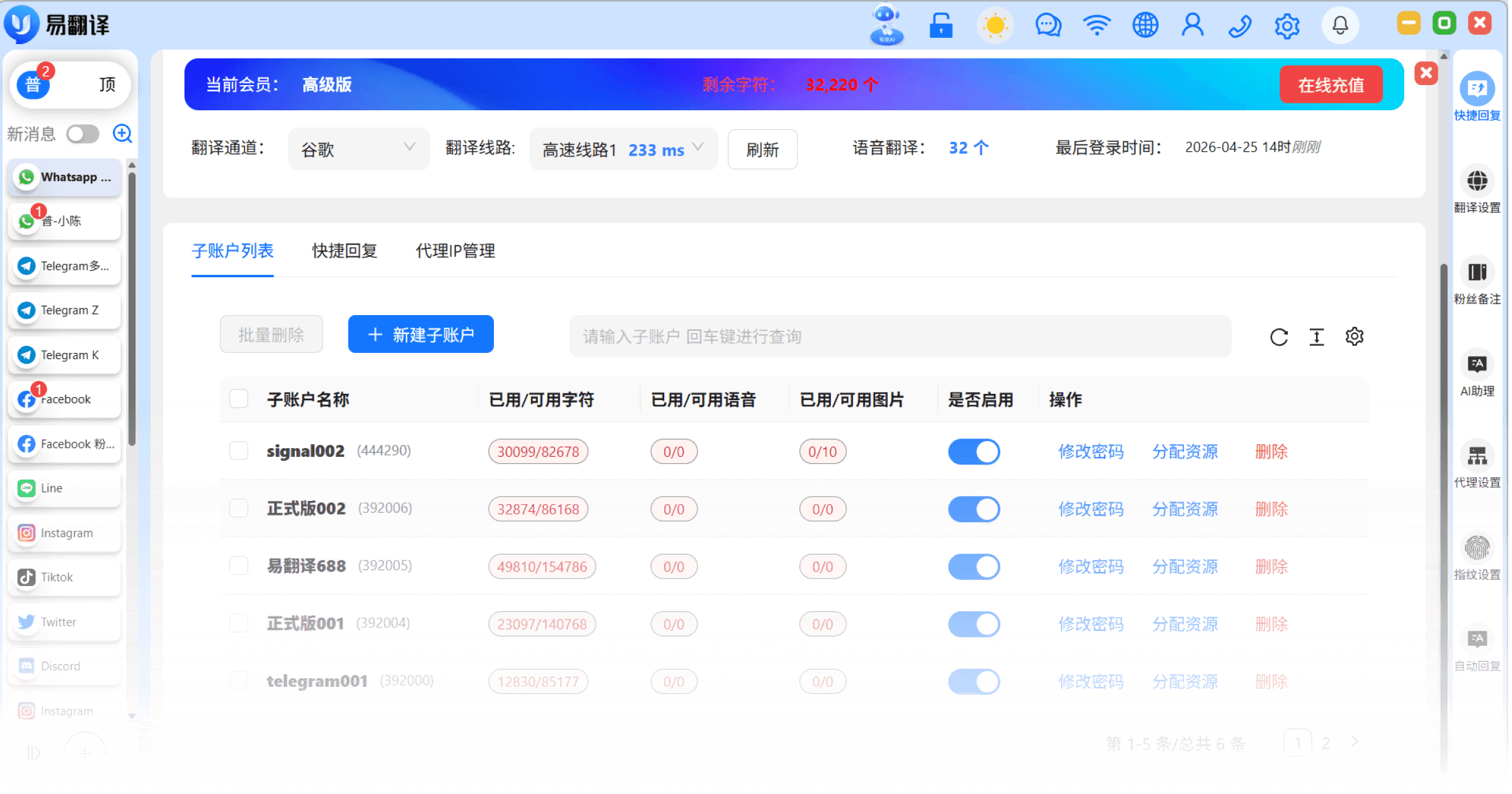
Main/Sub-Account System
Common Issue
Employees use their own personal accounts for business, and when they leave, they take customers with them — leaving the company with nothing.
Solution
The owner (main account) holds the highest level of permissions; employees (sub-accounts) can only log in with devices and accounts assigned by the company, and customer data belongs to the company.


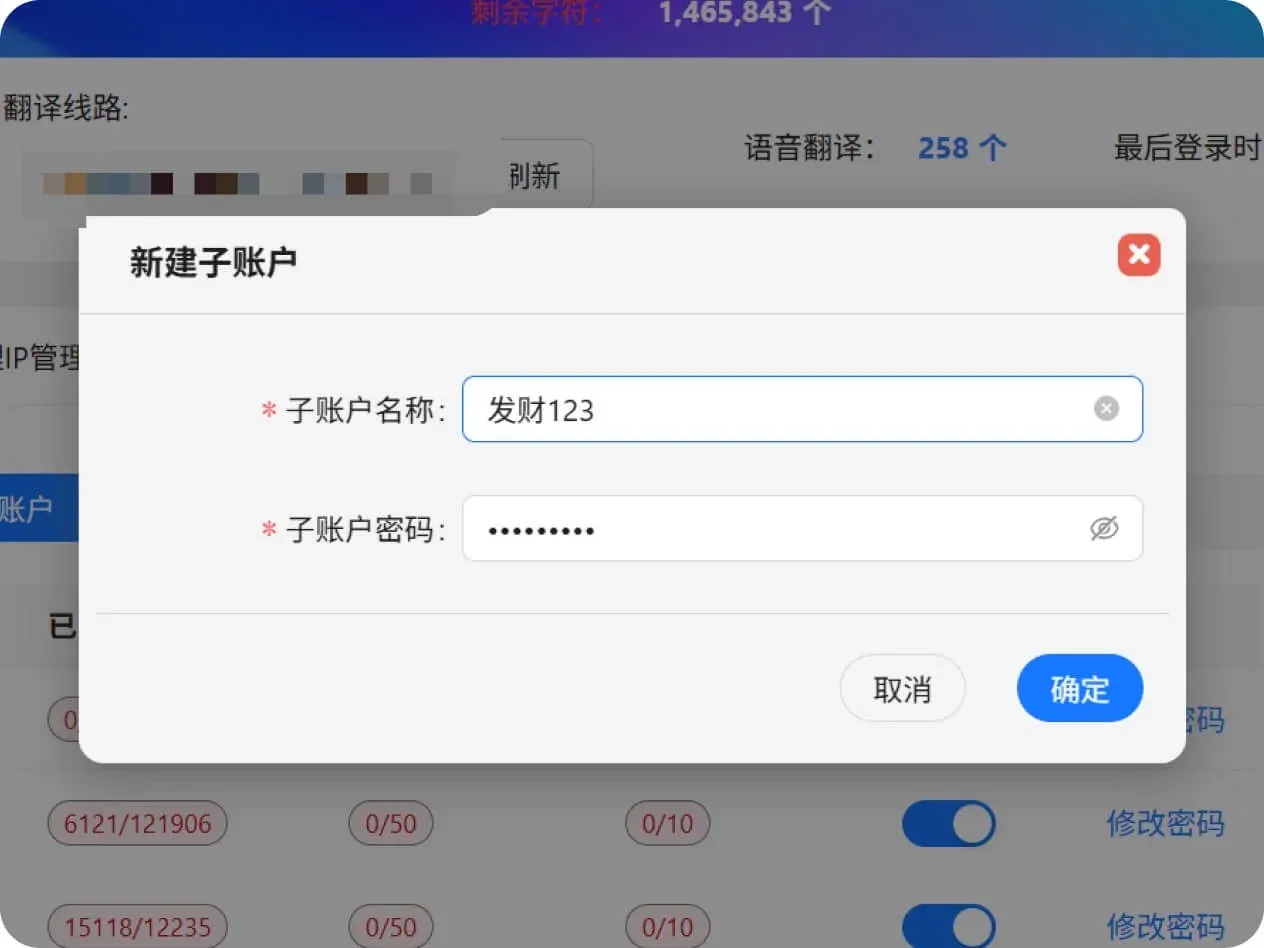
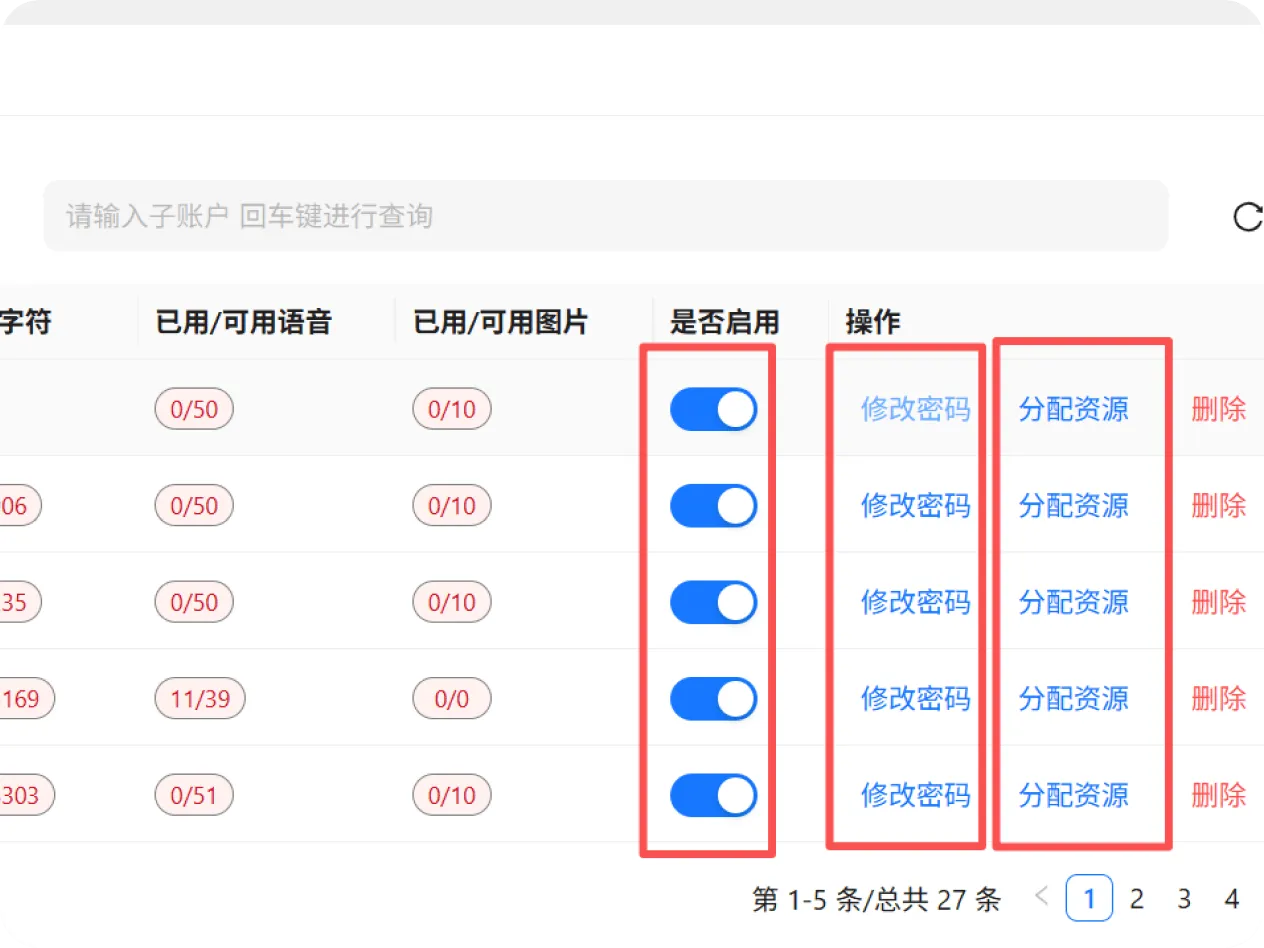
Main Account Manages Sub-Account Permissions
Common Issue
Worried employees might accidentally delete data, or view other customers' quotes beyond their authorization.
Solution
Button-level permission control. You can set Employee A with view + reply only permissions, and Employee B with mass-messaging + customer-management permissions, preventing unauthorized actions.
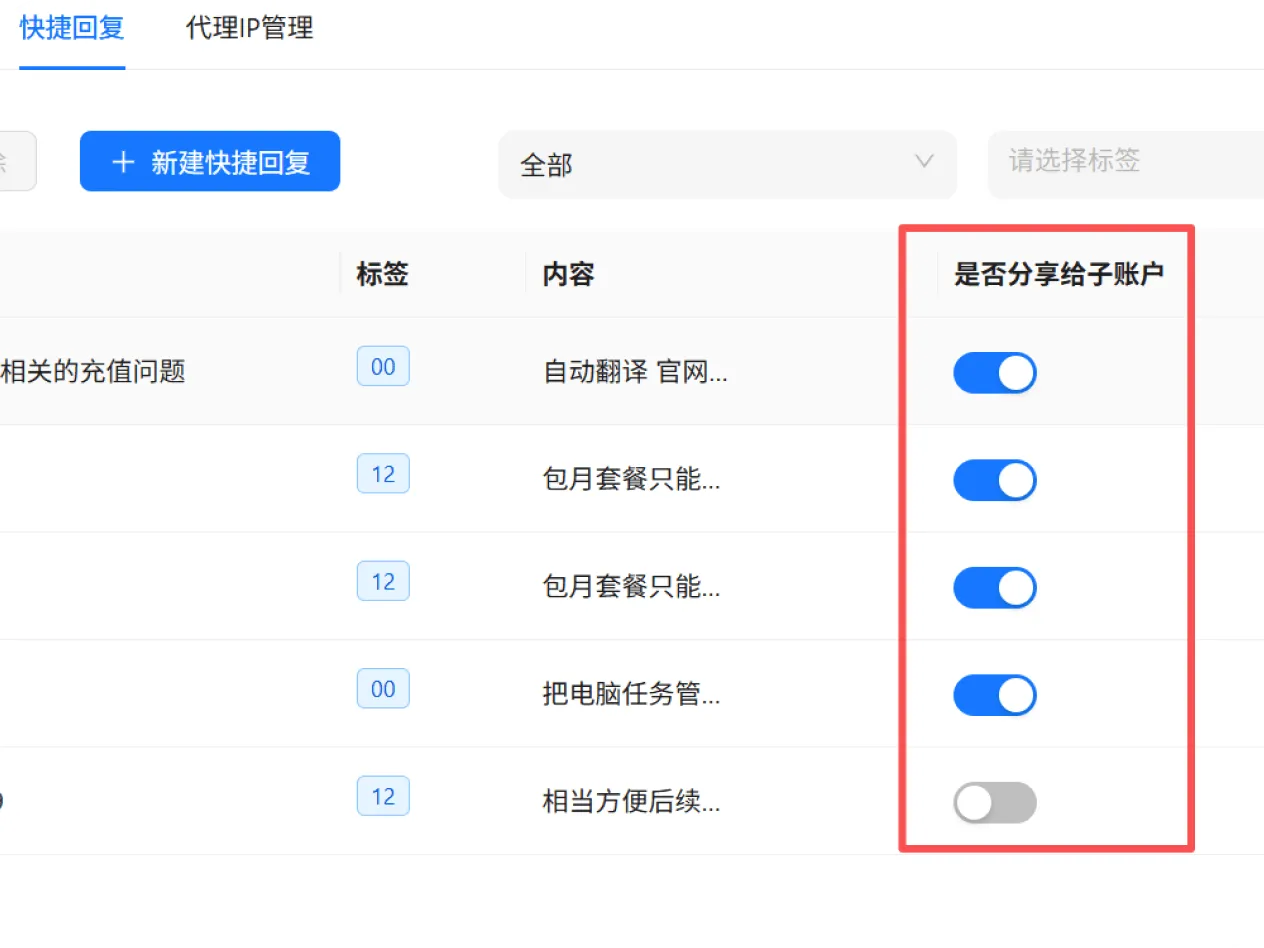
Shared Quick Replies
Common Issue
Every employee has their own set of scripts, reply quality varies widely, and new hires take a long time to memorize everything.
Solution
Admins centrally upload standard scripts, product specs, and quotes. All employees can call them up with one click, ensuring a consistent, professional image externally.
Customer Asset Retention
Common Issue
When an employee leaves, the dozens of major customers they handled disappear along with them, causing major losses to the business.
Solution
When an employee leaves, customers can be transferred with one click, allowing the new owner to take over seamlessly and completely resolving the pain point of losing customers when staff leave.
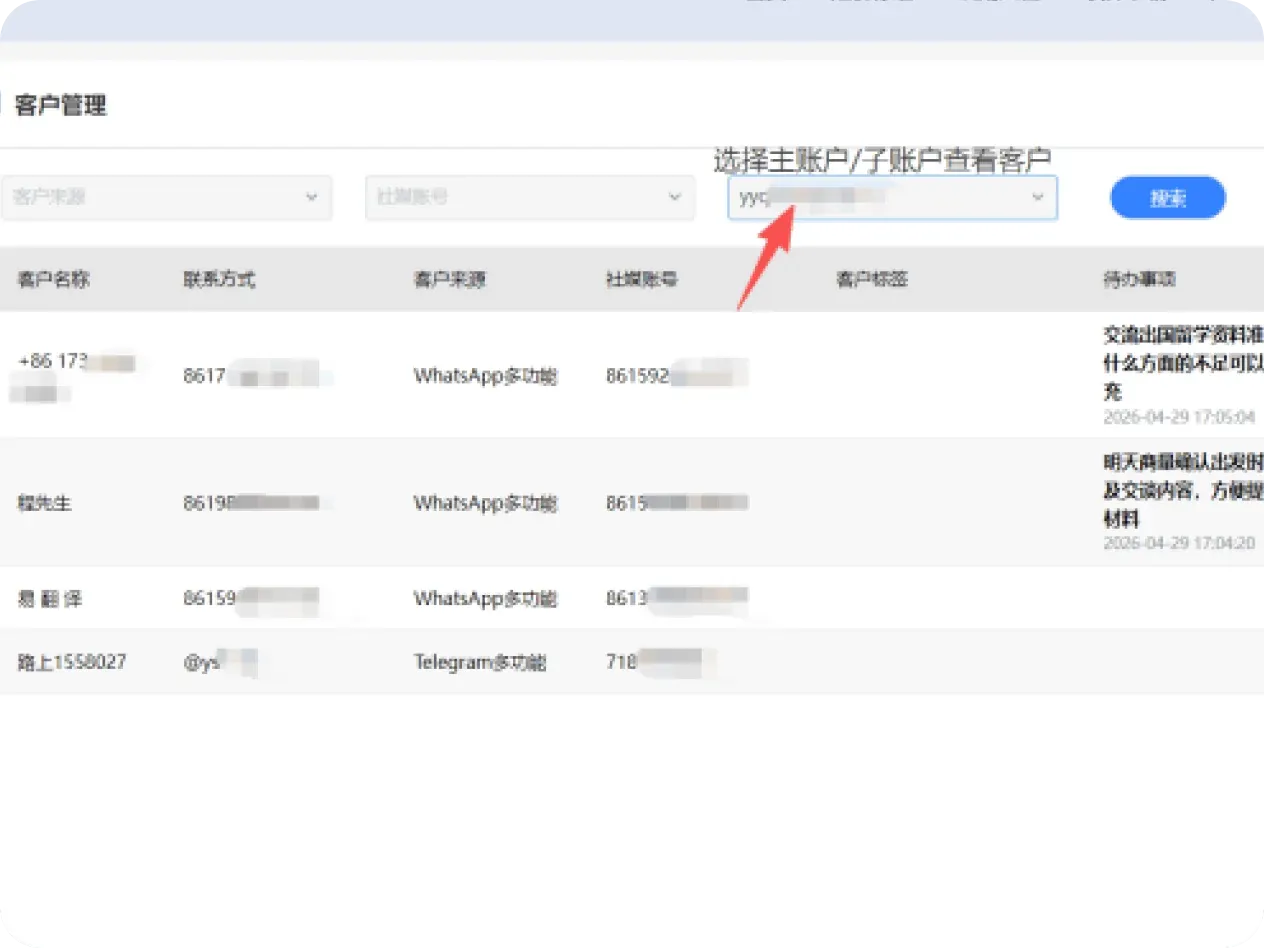
Traditional Approach vs. Team Collaboration
Break down information silos and achieve seamless teamwork, making multi-person account management as smooth as operating solo.

Use Cases
Enterprise-Grade Operating Efficiency

Rapid Onboarding for New Hires
Newly hired support staff don't know the products yet? No problem — Traneasy's shared script library lets them serve customers well just by reading from it.

Real-Time Management Oversight
Managers don't need to ask each person how today's conversations went — they can view reports and live conversations directly in the backend, and immediately flag employees with slow response times.

Data as an Asset
All customer tags, notes, and follow-up records live in the system. Even if the employee responsible for a customer leaves, the new owner can quickly understand the customer's background through historical records.
Next steps
Continue exploring features that match your workflow, or download the client to get started.
Frequently Asked Questions
Borderless multi-role collaboration, making cross-border team management as efficient as solo work!
Start Team Collaboration Now
Break down communication silos for efficient cross-border team collaboration
Download Now- Supports multiple accounts online simultaneously — manage every employee's account from one computer
- Separates internal chat from external customer communication, avoiding confusion
- Task assignment and progress tracking, with real-time visibility into team progress
- Internal sharing of customer resources, preventing customer loss when an employee leaves
- Tiered permission management, flexibly controlling employee operating scope and protecting data security